









Article Contents
- 1. Web Hosting Buyer's Checklist - What to Verify Before You Sign Up - Free PDF & Word Download
- 1.1. Download the Free Web Hosting Buyer's Checklist
- 1.2. Key Takeaways
- 1.3. Pricing - What the Plan Actually Costs
- 1.4. Uptime and Reliability - Reading the SLA
- 1.5. Support - Test It Before You Buy
- 1.6. Security and Backups - What Is Actually Included
- 1.7. Plan Features Worth Verifying Explicitly
- 1.8. Performance - The Infrastructure Details That Matter
- 1.9. The Complete Web Hosting Buyer's Checklist
- 1.10. Ready to Choose a Host or Need Help Evaluating Your Options?
- 1.11. References & Additional Resources
- 1.12. Tagged In:
Web Hosting Buyer's Checklist - What to Verify Before You Sign Up - Free PDF & Word Download
Hosting sales pages show you what providers want you to see. This checklist covers what you actually need to verify before handing over a card.
Download the Free Web Hosting Buyer's Checklist
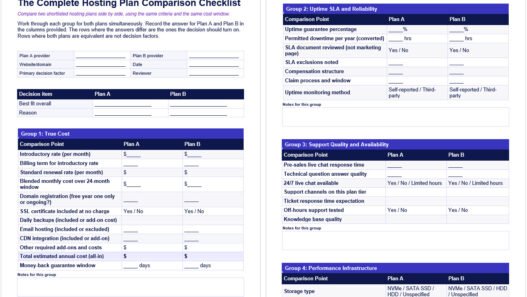
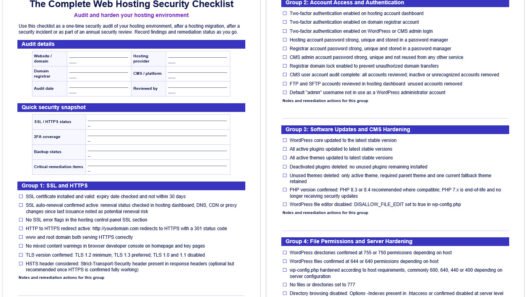
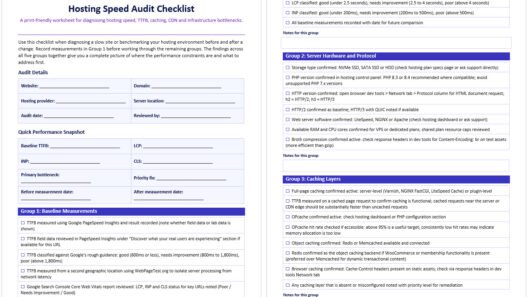
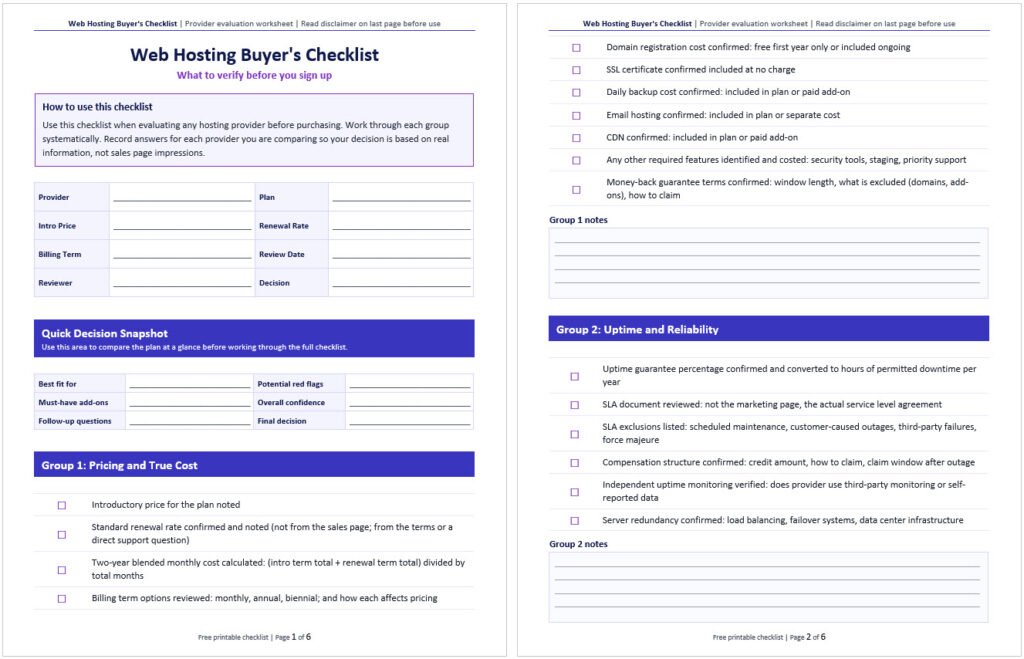
This checklist is available as a free download in PDF and editable Word format. Use it while you evaluate any hosting provider before signing up, print it and work through it by hand, or share it with whoever is helping you make the decision.
Both versions include all checklist items across the six verification groups. The Word version is fully editable so you can add notes, record answers from each provider and adapt it for your specific situation.
Key Takeaways
- The hosting sales page is designed to highlight strengths and obscure gaps; a pre-purchase checklist covers what it does not mention
- Renewal pricing is the most commonly overlooked cost; introductory rates often double or triple at renewal and the difference should factor into every plan comparison
- Uptime guarantees mean very little without reading the SLA exclusions; most real-world outage scenarios are excluded from compensation
- Support quality is the single most variable feature across hosting providers; test it with a technical question before you buy, not after
- SSL certificates should be included at no charge on any credible plan; daily backups and email hosting are often not included and should be verified explicitly
- A hosting plan with no clear upgrade path is a plan you will eventually need to migrate away from under pressure; confirm the growth path before committing
- Account security features like two-factor authentication are a basic requirement that some providers still do not offer by default
The web hosting market is one of the most aggressively marketed categories in technology. Introductory prices are kept low to win signups. Renewal rates are buried in the terms. “Unlimited” claims are qualified by acceptable use policies that most buyers never read. Features that should be standard are upsold as premium add-ons. None of this is unique to one provider; it is the standard commercial model across the industry.
The result is that most hosting buyers make their decision based on marketing language rather than the operational details that actually determine whether a host is worth paying for. A low introductory price, an impressive-sounding uptime guarantee and a free domain are not a basis for a hosting decision. The questions worth asking are the ones the sales page does not answer.
This checklist is designed to be run against any hosting provider you are seriously considering before you commit. It is not about finding the “best” host in the abstract. It is about verifying that a specific provider can actually deliver what you need at a price you can sustain. For a broader framework on how to approach the hosting selection process, how to choose the right web hosting provider covers the full decision. For matching a plan type and resource level to your site’s specific requirements, how to select the best hosting plan for your needs walks through that in detail.

Pricing - What the Plan Actually Costs
Introductory pricing is the standard model across the hosting industry. Rates advertised at $2 or $3 per month are promotional rates that apply to the first billing term only. When that term ends, the plan renews at the standard rate which is typically two to four times higher. A plan priced at $2.99 per month on a three-year promotional term may renew at $10.99 or $12.99 per month. Over a two-year period the blended monthly cost is significantly higher than the advertised rate.
The calculation for a realistic cost comparison is straightforward. Add the total cost of the promotional term to the total cost of one renewal term and divide by the combined number of months. That blended figure is what the plan actually costs on average. Comparing plans on this basis rather than on introductory pricing produces a very different ranking.
Beyond the base plan price, map out every add-on cost for the things your site actually needs. Domain registration is commonly offered free for the first year and billed at standard renewal rates thereafter. SSL certificates should be included at no charge on any credible modern plan. Daily automated backups are included on some plans and a paid add-on on others. Email hosting is included on most shared plans but frequently excluded from managed WordPress plans. CDN integration is standard on some plans and an upsell on others. A plan that appears cheaper than a competitor may cost more in total once these items are accounted for.
Full guidance on what different plan types should realistically cost and how hosting fees are structured is covered in how much web hosting should cost and how website hosting fees are calculated.

Uptime and Reliability - Reading the SLA
A 99.9% uptime guarantee is the most commonly advertised reliability claim in the hosting industry. The number sounds strong until you convert it to time: 99.9% uptime permits up to 8 hours and 45 minutes of downtime per year, or approximately 44 minutes per month. A 99.99% guarantee reduces that to around 52 minutes per year. The difference between those two figures matters significantly for any site where downtime has a direct business cost.
More important than the headline percentage is what the service level agreement (SLA) actually commits to and what it excludes. Most hosting SLAs exclude scheduled maintenance windows, outages caused by the customer, third-party service failures and force majeure events. Those exclusions cover a large share of real-world downtime scenarios. The compensation structure is also worth examining. Most SLA credits are small account credits rather than cash refunds and require you to file a claim within a specific window after the outage with documented evidence.
When evaluating uptime claims, look for specifics: how is downtime measured and by whom, is independent third-party monitoring used or the provider’s own systems, is the measurement window monthly or annual, and how do you actually file a claim. An SLA that requires a ticket within 24 hours with documented evidence of an outage that happened at 2am is designed around the provider’s interests rather than yours.

Support - Test It Before You Buy
Support quality is the most variable feature across hosting providers and the one most buyers never evaluate before purchasing. The difference between a provider whose support team can diagnose a PHP memory error or a caching configuration issue in minutes and one that sends scripted responses and escalation tickets that take hours to resolve is a real operational difference with measurable consequences.
The most reliable way to evaluate support before committing is to open the pre-sales live chat and ask a specific technical question. Good questions to ask include: what server-level caching does this plan include (OPcache, Redis, full-page cache), how does the backup restore process work and can individual database tables be restored separately, or what PHP versions are available and how is the version changed. The speed of the response, whether the answer actually addresses the question and whether the person communicates in plain language rather than deflecting to documentation tells you a great deal about what real-world support will look like.
A provider that cannot answer technical pre-sales questions competently will not answer technical support questions competently after you have paid. Test support before buying. It takes five minutes and the quality of the answer is consistently revealing. Also check whether 24/7 live chat is actually available or whether live chat hours are limited. A ticket-only support channel with no live option is a meaningful constraint when your site is down and you need an answer quickly.
The full framework for evaluating hosting providers including support quality is covered in how to choose the right web hosting provider.

Security and Backups - What Is Actually Included
SSL certificates should be included at no charge on any credible hosting plan in 2026. Most mainstream providers include free SSL via Let’s Encrypt. If a provider is charging for basic SSL, that is a signal worth taking seriously. Confirm SSL is included, that it covers your domain and any subdomains you need and that it auto-renews rather than requiring manual renewal.
Automated backups are where providers differ significantly. Some include daily backups with 14 or 30 days of retention as a standard feature. Others include only weekly backups. Others charge for daily backups as a paid add-on. The restore process matters as much as the backup frequency. Confirm whether restores are self-service (accessible directly from the control panel) or require a support ticket, whether individual files or database tables can be restored separately rather than requiring a full site restore, and whether there is a charge per restore. A backup you cannot access quickly in an emergency is only marginally more valuable than no backup at all.
Two-factor authentication on the hosting account itself is a basic security requirement that some providers still treat as optional. Confirm it is available and enabled by default or available to configure. Also check whether the provider includes any malware scanning or removal at the plan level, understanding that the scope of what is covered varies significantly between providers.

Plan Features Worth Verifying Explicitly
Several hosting plan features are either commonly omitted from the sales page or described in ways that obscure the actual situation. Each of the following is worth verifying directly before committing.
Email hosting. Most shared hosting plans include professional email at your domain as a standard feature. Most managed WordPress plans do not. If you need email addresses at your domain, confirm explicitly whether they are included in the plan. If they are not, budget for a separate email service (Google Workspace, Microsoft 365 or an equivalent) before comparing plan costs.
Staging environments. A staging environment lets you test updates, plugin changes or redesign work on a copy of your site before pushing changes to the live environment. This is a meaningful quality-of-life feature for any actively managed website. Some plans include staging as standard; others offer it as a paid add-on or not at all. Confirm availability before signing up.
Upgrade path. The hosting plan that fits your site today may not fit it in 12 to 18 months. Confirm that the provider offers a clear upgrade path: can you move to a higher resource tier or a different plan type within the same account without a full manual migration, or does upgrading require you to set up a new account and migrate your site from scratch? A provider with a clear in-account upgrade path costs you less disruption long term than one that treats every tier change as a new customer setup.
Migration assistance. If you are moving an existing site to the new host, confirm the migration policy. Some providers offer free assisted migration as a standard service. Others provide migration tools but no hands-on assistance. Others charge for migration. Know what you are getting before you factor migration into your decision. For context on what a hosting migration involves and what to expect, the website migration checklist covers the full process.
Control panel. The control panel is where you will manage your hosting account day to day. Test it before committing if the provider offers a demo environment. If the provider uses cPanel, the support ecosystem of tutorials and documentation is extensive. Proprietary panels vary in quality and have smaller support communities. Confirm the panel is intuitive enough for your technical comfort level.
For beginners evaluating hosting for the first time, which hosting service is best for beginners covers the features that matter most at that stage in more depth.

Performance - The Infrastructure Details That Matter
Hosting speed is determined by a combination of infrastructure decisions that are not always disclosed clearly on the pricing page. Storage type is one of the most significant. NVMe SSDs deliver significantly faster read/write speeds than SATA SSDs and dramatically faster than older hard disk drives. When a provider specifies NVMe storage, that is a concrete infrastructure detail. When they do not specify storage type at all, that omission is worth asking about directly.
Server location affects every request through unavoidable network latency. The physical distance between the server and your visitors creates a speed penalty that good hardware cannot eliminate. Confirm the provider has data centers in or near the geographic region where most of your audience is located. For sites with a global audience, confirm whether CDN integration is included in the plan or a separate cost.
Server-side caching infrastructure is one of the most impactful but least visible differentiators between hosting plans. OPcache for PHP, Redis or Memcached for object caching and full-page caching can reduce page generation time dramatically. Ask directly what caching layers are included in the standard plan and what requires an upgrade or a third-party tool. The relationship between hosting infrastructure and site speed is covered in detail in how web hosting impacts website speed.

The Complete Web Hosting Buyer's Checklist
Use this checklist when evaluating any hosting provider before purchasing. Work through each group systematically. Record the answers for each provider you are comparing so you can make the decision on real information rather than sales page impressions.
This checklist is available as a free downloadable PDF and editable Word document above at Web Hosting Services.
Group 1: Pricing and True Cost
- ☐ Introductory price for the plan noted
- ☐ Standard renewal rate confirmed and noted (not from the sales page; from the terms or a direct support question)
- ☐ Two-year blended monthly cost calculated: (intro term total + renewal term total) divided by total months
- ☐ Billing term options reviewed: monthly, annual, biennial; and how each affects pricing
- ☐ Domain registration cost confirmed: free first year only or included ongoing
- ☐ SSL certificate confirmed included at no charge
- ☐ Daily backup cost confirmed: included in plan or paid add-on
- ☐ Email hosting confirmed: included in plan or separate cost
- ☐ CDN confirmed: included in plan or paid add-on
- ☐ Any other required features identified and costed: security tools, staging, priority support
- ☐ Money-back guarantee terms confirmed: window length, what is excluded (domains, add-ons), how to claim
Group 2: Uptime and Reliability
- ☐ Uptime guarantee percentage confirmed and converted to hours of permitted downtime per year
- ☐ SLA document reviewed: not the marketing page, the actual service level agreement
- ☐ SLA exclusions listed: scheduled maintenance, customer-caused outages, third-party failures, force majeure
- ☐ Compensation structure confirmed: credit amount, how to claim, claim window after outage
- ☐ Independent uptime monitoring verified: does provider use third-party monitoring or self-reported data
- ☐ Server redundancy confirmed: load balancing, failover systems, data center infrastructure
Group 3: Support
- ☐ Live chat availability confirmed: 24/7 or limited hours
- ☐ Support channels confirmed: live chat, ticket, phone; which are available on this plan tier
- ☐ Pre-sales support tested: technical question asked and answer evaluated for speed, accuracy and communication quality
- ☐ Support tested at an off-hours time if possible: evening, weekend
- ☐ Knowledge base quality reviewed: plain language, current documentation, covers common tasks
- ☐ Response time expectations for ticket support confirmed
Group 4: Security and Backups
- ☐ SSL certificate confirmed: included, covers domain and required subdomains, auto-renews
- ☐ Backup frequency confirmed: daily, weekly or less frequent
- ☐ Backup retention window confirmed: how many days of backups are kept
- ☐ Restore process confirmed: self-service from control panel or requires support ticket
- ☐ Granular restore confirmed: can individual files or database tables be restored separately
- ☐ Restore cost confirmed: included or charged per restore
- ☐ Two-factor authentication confirmed: available on hosting account login
- ☐ Malware scanning scope confirmed: included at plan level, paid add-on or not available
- ☐ Firewall and DDoS protection confirmed: what is included at infrastructure level
Group 5: Plan Features
- ☐ Email hosting confirmed: professional email at domain included or excluded from this plan
- ☐ Staging environment confirmed: included, paid add-on or unavailable on this plan
- ☐ Upgrade path confirmed: can site be upgraded to higher tier within same account without full migration
- ☐ Migration assistance confirmed: free assisted migration, tools only, or charged service
- ☐ Number of sites or domains confirmed: single site only or multiple sites permitted on this plan
- ☐ Control panel reviewed: cPanel, proprietary panel, or custom dashboard; accessibility and documentation quality assessed
- ☐ One-click installer confirmed: available for WordPress or required CMS
- ☐ Resource limits confirmed: CPU, RAM, concurrent connections, storage caps and what happens when limits are hit
Group 6: Performance Infrastructure
- ☐ Storage type confirmed: NVMe SSD, SATA SSD or HDD
- ☐ Server location options confirmed: data centers in or near primary audience region
- ☐ Server-side caching confirmed: OPcache included, Redis or Memcached available, full-page caching included
- ☐ CDN integration confirmed: included in plan, available as add-on, or not offered
- ☐ PHP version options confirmed: current supported versions available and easily switchable
- ☐ HTTP/2 confirmed as supported on this plan; HTTP/3 support noted if available (not yet universal across shared hosting providers)
- ☐ Bandwidth or data transfer limits confirmed: metered, unmetered with fair use policy, or genuinely unlimited
Ready to Choose a Host or Need Help Evaluating Your Options?
Running through this checklist against two or three providers narrows the decision significantly. The answers to the questions most buyers never ask are often the most revealing part of the evaluation.
At Web Hosting Services, we help businesses work through exactly this process: matching site requirements to a hosting environment that can meet them, at a cost that makes sense over the full renewal cycle. If you want a clear recommendation based on your specific situation rather than a generic comparison, contact us and describe what you are building. We will tell you what fits and what to avoid.
References & Additional Resources
- Google. “Time to First Byte (TTFB).” web.dev.
- Google. “Understanding Core Web Vitals and Google Search Results.” Google Search Central.
- Let’s Encrypt. “Documentation.”
- Wikipedia. “High Availability.”
- Cloudflare. “What is a CDN?” Cloudflare Learning Center.
Tagged In:
- Beginner Hosting, Choosing Hosting, Hosting Costs, Hosting Decision Making, Hosting Evaluation, Hosting Features, Hosting Fundamentals, Hosting Overview, Hosting Performance, Hosting Plans, Hosting Providers, Hosting Reliability, Hosting Security, Hosting Selection, Hosting Speed, Managed Hosting, Server Resources, Shared Hosting, SSL Certificates, Web Hosting, Website Hosting